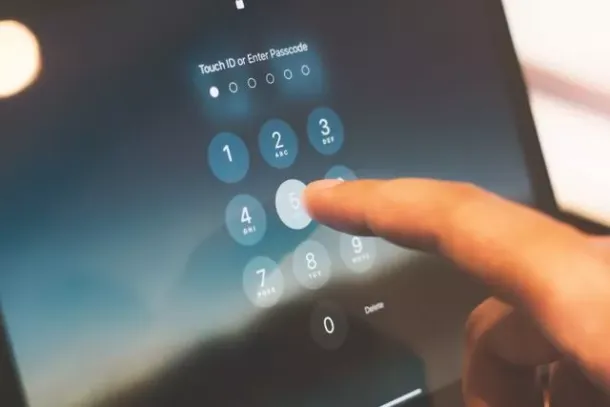
Passkeys Are Here: Why Houston Businesses Should Start Replacing Passwords — And Where to Begin
Passwords are still the weak point in most Houston businesses. Staff reuse them across multiple accounts, store them in browser autofill, and enter them into convincing fake login pages without realizing what they have done. For Houston companies in energy, healthcare, finance, and law, a stolen password is frequently the starting point for a much larger incident—not just a locked account, but a data breach, a compliance event, or a wire transfer to the wrong destination.
Passkeys are the technology built to fix the parts of passwords that cause the most damage. A passkey lets you sign in using the same fingerprint, face scan, or device PIN you already use to unlock your phone or laptop. There is nothing to type, nothing to remember, and nothing for an attacker to steal from you. That last point is what makes passkeys meaningfully different from every previous attempt to make authentication safer for business environments.
What a Passkey Actually Is
A passkey replaces your password with your device’s own security system. When you set up a passkey for a website or application, your device creates two mathematically linked keys. The private key never leaves your device. The public key is stored by the website. When you sign in, the site sends a cryptographic challenge; your device answers it the moment you confirm with your fingerprint, face scan, or PIN—and you are in. The website never sees a password, because none exists.
This approach comes from a standard called FIDO, developed jointly by Apple, Google, and Microsoft. That widespread backing is what makes passkeys different from previous alternatives to passwords: the infrastructure is already built into the devices your Houston team uses every day.
Why Passkeys Are Harder to Attack Than Passwords and Traditional MFA Codes
A password is a shared secret—you transmit it to the website every time you sign in, which means it can be intercepted in transit, stolen in a server breach, or entered into a fake login page without you noticing. Passkeys eliminate that shared secret entirely.
They cannot be phished. A passkey only works on the specific legitimate site it was created for. A convincing fake login page cannot trigger the authentication because the device recognizes the domain is wrong. There is nothing to hand over.
They cannot be stolen in a data breach. The website stores only your public key, which is cryptographically useless without the private key that never leaves your device. If the company’s database is compromised, there is no password list to grab and replay.
They eliminate reuse and weak-password habits. Each passkey is automatically unique to one site and generated by the device, so the problem of reused or guessable passwords disappears by design.
Older MFA methods—text-message codes and push approvals—can still be intercepted by adversary-in-the-middle attacks, where a fake login page captures both your password and your MFA code in real time. CISA classifies FIDO-based authentication—which is what passkeys are—as the highest-tier protection currently available specifically because it defeats that technique. Our Cisco Duo MFA deployments in Houston already protect clients at this level.
Where Houston Businesses Can Use Passkeys Today
Passkey support has expanded quickly across enterprise platforms. Microsoft accounts, Google accounts, and Apple accounts all support passkeys now. Microsoft 365 and Entra ID support passkeys through the Microsoft Authenticator app or a compatible physical security key, at no additional cost. Google Workspace supports them as well.
There are two forms worth understanding. A synced passkey is backed up to your Microsoft, Apple, or Google account and works automatically across all your devices—so a lost phone does not mean losing access. A device-bound passkey lives only on one specific physical device and provides the most locked-down option; this form is commonly chosen for administrator and finance accounts where the highest assurance is required.
A Practical Rollout for Texas Teams
You do not need to replace every password on day one.
1. Start With High-Risk Accounts
IT administrators, financial controllers, and anyone who can authorize payments or change system access are the accounts attackers target first. Enabling passkeys for those roles delivers the most immediate risk reduction for Houston businesses and makes those accounts far harder to compromise. Your managed IT provider in Houston can identify and prioritize these accounts across your environment.
2. Offer Passkeys as a Faster Alternative
Make passkeys available to the broader team as an option alongside their existing login method. Microsoft reports that signing in with a synced passkey takes about three seconds on average, compared to roughly 69 seconds for a password combined with a traditional MFA code. For a 50-person Houston team, that difference adds up. Users who experience the speed difference tend to switch voluntarily.
3. Build in a Recovery Path
Every user should have a second registered device or a backup security key before the rollout begins. That way a lost phone does not lock someone out of their account entirely. Your IT provider handles this configuration so nobody gets locked out mid-transition.
What Elevate Technology Delivers for Houston Cybersecurity
Elevate Technology manages multi-factor authentication and identity security for businesses across Houston and Katy, including deployment and ongoing management of Cisco Duo MFA. As passkey support broadens across Microsoft 365 and other business platforms, we help clients evaluate whether passkeys fit their current environment, plan the rollout by account risk level, and configure recovery options so no team member gets locked out in the process. For Houston healthcare practices, financial firms, and law offices that handle sensitive data, the shift from passwords to phishing-resistant authentication is one of the highest-impact cybersecurity services in Texas we offer right now—and it costs far less than recovering from the breach a stolen password causes.
Are passkeys actually safer than adding MFA to a password?
Yes, for most real-world threat scenarios. Traditional MFA adds a code or approval prompt to a password, but both can be intercepted in real time by an adversary-in-the-middle attack—a fake login page that captures your password and MFA code simultaneously. A passkey eliminates the password entirely and only functions on the legitimate domain it was created for, so that interception technique stops working. CISA classifies FIDO-based authentication as the highest tier of protection currently available for business accounts.
What happens if a staff member loses the device that has their passkey?
If the passkey was synced—stored in the person’s Microsoft, Apple, or Google account—it is automatically available on their other devices and on any new device they set up. If it was device-bound (stored only on one specific physical device), they use a backup recovery method configured in advance. That is why setting up a second registered device or a hardware security key as a backup is a standard part of any responsible passkey rollout for Houston businesses.
→ Talk to Elevate Technology about upgrading your Houston team’s authentication to Cisco Duo and passkeys. Visit our Cisco Duo MFA page.