Elevate UC for Hospitality: AI-Powered Communications That Redefine Guest Experience

22 October, 2025

# Topics

Follow Us

Elevate UC for Hospitality: AI-Powered Communications That Redefine Guest Experience

03 October, 2024

Keeping Guests Happy in the Age of Instant Expectations

In hospitality, every second counts. Guests expect fast check-ins, quick responses, and effortless experiences — from booking to checkout. But many hotels, resorts, and restaurants are still juggling outdated phone systems, disconnected messaging apps, and slow service workflows.

That’s where Elevate UC’s AI-powered business phone system steps in. Built for the unique pace of the hospitality industry, Elevate UC unifies communication across departments, devices, and properties — creating smoother guest experiences and more efficient teams.

Communication Challenges in Hospitality

  • Missed guest calls and slow response times during peak hours.
  • Disconnected systems between the front desk, housekeeping, and management.
  • Lack of call analytics to identify service bottlenecks.
  • No unified system for voice, chat, and SMS.
  • Complex, expensive IT infrastructure.

Traditional PBX systems just can’t keep up. Elevate UC modernizes your entire communication stack — combining AI call routing, automated guest alerts, and integrated messaging to give every team member instant access to what they need.

How Elevate UC Solves These Challenges

1. Smarter Call Routing and AI Efficiency

Our AI-driven phone system for hotels and hospitality automatically routes calls based on guest type, language preference, or department. No more long holds or transfers.

AI Insights: Identify peak times and predict call volume so you can staff appropriately — or even automate repetitive calls like wake-up requests or reservation confirmations.

2. Unified Communication for Teams

Elevate UC connects your front desk, housekeeping, and management on one secure cloud platform. Send instant updates, confirm room status, or handle guest requests on any device.

Key Benefits:
• Real-time collaboration via chat, call, or video.
• Easy escalation for guest issues.
• Cross-department visibility for faster problem resolution.

3. Mobile and Multi-Property Flexibility

From boutique hotels to large resort chains, Elevate UC scales effortlessly. Staff can answer calls and messages from anywhere while maintaining professional caller ID and security.

4. Guest Satisfaction Through Automation

Use AI to automate reminders, confirmations, and guest follow-ups. Elevate UC ensures guests receive a seamless experience — even after checkout.

Key Benefits Summary

✅ AI-powered guest engagement — faster service, happier guests.
✅ Unified team communication — all channels in one platform.
✅ Scalable cloud platform — from one property to many.
✅ Automated alerts and analytics — smarter staffing and faster problem-solving.
✅ 99.999% uptime — reliability you can count on.

Why Elevate UC Outperforms Other Hospitality Systems

Unlike RingCentral or 8x8, which offer general business VoIP, Elevate UC was built for hospitality. We understand that one missed call can mean a lost booking.

Our AI tools go beyond automation — providing real-time service analytics that drive higher guest satisfaction and loyalty.

For Hospitality Teams Nationwide — Rooted in Texas Excellence

From Austin resorts and San Antonio hotels to national hospitality brands, Elevate UC empowers properties across the country with smart, scalable communications designed for 24/7 service.

Donnie Rollins

Founder, CEO


Ready To Modernize How Your Guest Experience Is Managed?

Schedule a free communication audit or live demo with Elevate UC and see how AI-powered, secured cloud communications can transform your guest service—without increasing your workload.

DOWNLOAD THE FREE GUIDE

Latest Posts

Ready to elevate your business with IT solutions in Houston, Texas?

Don't settle for average IT support. Choose Elevate Technology for comprehensive managed IT solutions that protect, streamline, and propel your business forward. Contact us today, and let's embark on a journey to success together.
  • Microsoft logo representing Elevate Technology’s partnership supporting Microsoft Teams Calling and unified communications for businesses.
  • Cisco Meraki logo representing Elevate Technology’s partnership delivering managed IT services and cloud‑managed network monitoring solutions.
  • Proofpoint logo representing Elevate Technology’s cybersecurity partnership supporting business cyber protection and IT security solutions.
  • SentinelOne logo representing Elevate Technology’s partnership providing endpoint protection and managed cybersecurity services for businesses.

Cloud Phone Systems

Read more …Elevate UC for Hospitality: AI-Powered Communications That Redefine Guest Experience

  • Hits: 2247

Navigating the Campaign Registry Requirements for SMS: A Guide for Our Customers

04 November, 2024

# Topics

Follow Us

Navigating the Campaign Registry Requirements for SMS: A Guide for Our Customers

04 November, 2024

As your trusted VoIP provider, we want you to stay informed about all aspects of your service, including how to comply with industry regulations that impact your communication. One such requirement that has come into effect for businesses sending SMS messages involves registration with the Campaign Registry. We suggest all new customers using the Elevate UC Cloud Phone System register for the Campaign Registry when opening a new account. This post will explain what the Campaign Registry is, who runs it, common errors you might encounter, and how to resolve them.

What is the Campaign Registry?

The Campaign Registry is an initiative designed to bring transparency and order to the ecosystem of business SMS messaging, often called Application-to-Person (A2P) messaging. By requiring businesses to register their messaging campaigns, the registry aims to prevent spam and ensure that only legitimate messages reach consumers.

Who is Behind the Campaign Registry?

The Campaign Registry is managed by a third-party administrator, approved and overseen by major cellular carriers (AT&T, Verizon, and T-Mobile) and stakeholders in the messaging industry. This body works closely with service providers and regulatory authorities to ensure compliance and to enhance the quality of messaging services across networks.

Common Errors Explained

One standard error you might encounter once you start sending SMS messages through your VoIP service is:

"Message not delivered. The destination number does not support SMS messaging."

This error typically occurs when the destination number is either not capable of receiving SMS messages or your SMS campaign has not been properly registered, causing carriers to block the message's delivery.

How to Resolve Registration Issues

To prevent this error and ensure your SMS messages are delivered without interruption, here's what you need to do:

  1. Register with the Campaign Registry: If you are an Elevate Technology customer, fill out this form. If you are not, we suggest you visit campaignregistry.com to register your business and your SMS campaign. You must provide details about your business and the type of messages you plan to send. This is crucial as it helps carriers recognize your messages as legitimate and approved, reducing the likelihood of them being blocked.
  2. Check Number Capability: Before sending messages, ensure that the recipient's number is capable of receiving SMS. Not all numbers, especially some VoIP and landline numbers, are set up to receive SMS messages.
  3. Error Follow-up: If you encounter the error message above, double-check that the number is correct and capable of receiving SMS. If the error persists and you are a customer using Elevate UC, contact your Elevate Technology. If you are not, contact Campaign Registry support to verify that your registration details are correctly processed and active.
  4. Compliance and Best Practices: Always adhere to the best practices for sending A2P messages. This includes respecting opt-out requests promptly and ensuring that your message content aligns with what you registered in the Campaign Registry.

Why Compliance Matters

Registering with the Campaign Registry is not just a regulatory requirement but also enhances your business communications' credibility. By ensuring your campaigns are registered, you help maintain a trustful messaging environment where your customers feel safe interacting with your SMS content without the annoyance of spam.

Conclusion

Understanding and navigating the requirements of the Campaign Registry can seem daunting, but it's an essential part of modern business communications. By following these guidelines and ensuring your SMS campaigns are appropriately registered, you can avoid common pitfalls and enjoy a smooth, effective communication channel with your customers.

Stay informed, stay compliant, and keep communicating effectively! If you have any questions about this process or need further assistance, our team is here to help every step of the way.

Donnie Rollins

Founder, CEO


Latest Posts

Cloud Phone Systems

Read more …Navigating the Campaign Registry Requirements for SMS: A Guide for Our Customers

  • Hits: 3125

Windows 10 Is Retiring... Is Your Business Ready?

30 July, 2025
# Topics

Follow Us

Windows 10 Is Retiring... Is Your Business Ready?

30 July, 2025

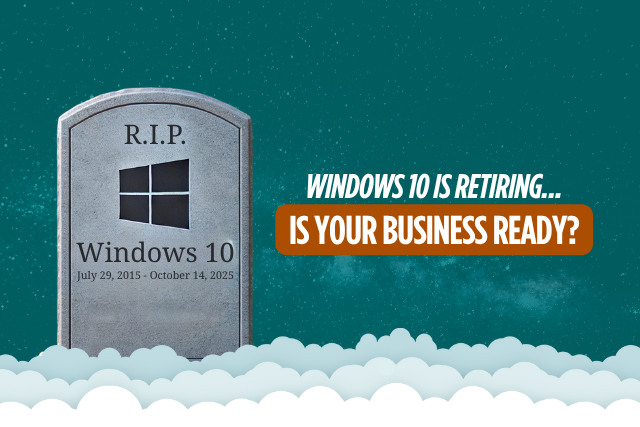
Microsoft has officially announced that Windows 10 will reach the end of support on October 14, 2025. While that may sound far away, for businesses that rely on dozens or even hundreds of devices, the clock is ticking fast.

So what does this mean? Simply put, Microsoft will stop providing security updates, patches, and technical support for all versions of Windows 10. Your devices may continue to run, but they will be operating without a safety net and for many organizations, that is a risk you cannot afford to take.

What Happens When Windows 10 Reaches End of Support?

Once Windows 10 reaches its end-of-life status, the system will no longer receive updates or security patches from Microsoft. That opens the door to a host of serious business risks, including:

  • Phishing attacks that target unpatched vulnerabilities
  • Ransomware exploiting known Windows 10 flaws
  • Software failures due to outdated compatibility
  • Insurance gaps for unsupported systems
  • Compliance violations in regulated industries

Can You Just Upgrade to Windows 11?

Not necessarily.

While Windows 11 is the natural upgrade path, not all devices meet the minimum system requirements. Businesses running older desktops and laptops may find that a large portion of their hardware is ineligible for the upgrade.

One of the most common blockers is the lack of a compatible Trusted Platform Module (TPM) 2.0. On older devices, it's typical to encounter an error such as "TPM failed" or "TPM not detected" during the upgrade check. This is a critical hardware-based security component required by Windows 11 for features like BitLocker and Windows Hello. In most cases, this will necessitate the purchase of new devices that support TPM 2.0.

Another frequent blocker is insufficient disk space. Windows 11 requires a minimum of 64 GB of available storage, but practical installations often need more to accommodate temporary files and rollback data. Older machines with limited or nearly full storage drives may not be able to complete the upgrade without hardware intervention.

These blockers underscore the need for a detailed hardware readiness assessment before planning a Windows 11 deployment, especially in business environments where downtime and unexpected costs must be avoided.

That is why it is critical to start planning now. Waiting until late 2025 could mean rushed decisions, costly emergency purchases, and avoidable downtime.

What You Can Do Today

At Elevate Technology, we help businesses prepare for major transitions with confidence and clarity. Our team will:

  • Review your current IT setup
  • Identify devices that can and cannot be upgraded
  • Build a custom action plan for system upgrades or replacements
  • Ensure compliance, security, and minimal disruption to your workflow

Whether you need to replace aging hardware, roll out Windows 11 company-wide, or just get a second opinion, our experts are ready to help.

Stress-Free Transition Starts Here

We know that IT changes can feel overwhelming, but they do not have to be. When you work with Elevate Technology, you get:

  • Expert guidance every step of the way
  • Zero stress and minimal downtime
  • A proactive plan that fits your business goals and budget

Let’s Make the Transition Simple

Do not wait until your systems are vulnerable and unsupported. Let us work together to ensure your business is secure, compliant, and ready for the future before the Windows 10 end-of-life deadline arrives.

Talk to an expert today to schedule your free readiness assessment.

Donnie Rollins

Founder, CEO


Latest Posts

Technology

Read more …Windows 10 Is Retiring... Is Your Business Ready?

  • Hits: 2618

Understanding P2P vs. A2P Text Messaging - Why Compliance Is Critical for Your Business

16 July, 2025
# Topics

Follow Us

Understanding P2P vs. A2P Text Messaging—and Why Compliance Is Critical for Your Business

16 July, 2025

📲 Text messaging is one of the most effective ways to connect with your customers and teams. But did you know that not all text messages are treated equally by carriers and regulators? In fact, how and why you send your messages determines whether you must use P2P or A2P messaging—and what compliance requirements apply.

Whether you’re sending appointment reminders, marketing promotions, or personalized updates, it’s essential to understand the rules that protect consumers from spam and ensure your business stays operational and reputable.

Elevate Technology, your trusted business communications partner, is here to help you navigate these regulations with clarity and confidence.

💬 What is P2P Messaging?

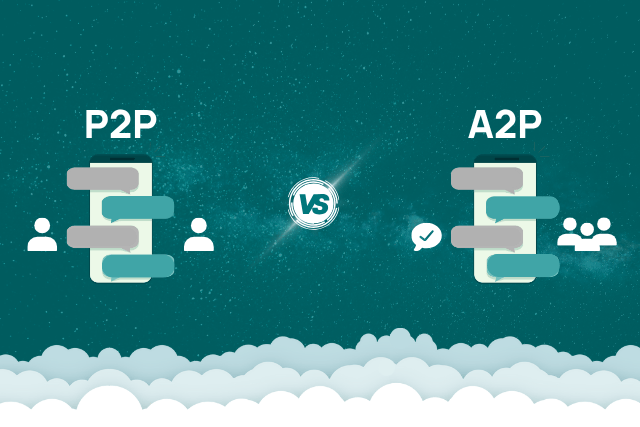
P2P (Person-to-Person) messaging is exactly what it sounds like: one person texting another, typically in real-time conversation.

Key Characteristics:

  • Conversational: Messages go back and forth in a dialogue.
  • Low Volume: Typically under 1,000 messages per day.
  • One Sender to One Recipient: Each message comes from a unique number.
  • Manual: Messages are typed by a human, not a software application.
  • Balanced: Sent and received messages have roughly a 1:1 ratio.

Traffic Limitations:

  • Maximum 1,000 messages per day per unique phone number
  • Maximum 200 unique recipients per day per phone number

P2P is best for personal or low-volume business communications where immediate, two-way conversation is expected.

Example:
“Hi John, confirming our meeting tomorrow at 2 PM. Let me know if you need anything!”

🏢 What is A2P Messaging?

A2P (Application-to-Person) messaging is when a business uses a software platform to send messages automatically or in bulk to customers.

Key Characteristics:

  • Non-Conversational: Messages are typically informational or promotional, with very few replies or two-way interactions.
  • Bulk/Automated/Scheduled: Sent by an application rather than an individual typing each message.
  • Higher Volume: Often exceeds 1,000 messages per day by account or 200 individual messages per day.
  • Business Use Cases: Marketing campaigns, reminders, order confirmations, security codes.
  • Registration Required: Must register your campaigns with carriers and comply with specific guidelines.

Traffic Limitations:

  • A2P traffic is not limited to P2P daily caps but requires proper registration and approval with The Campaign Registry and carrier networks to operate at higher volumes.

Example:
“Your appointment with Dr. Smith is confirmed for Thursday, July 18 at 3:00 PM. Reply YES to confirm or NO to reschedule.”

Note: Sending bulk messages does not necessarily mean “blasting” or sending out a large volume of messages indiscriminately. Group SMS can contribute to bulk message activity. What is Group SMS/MMS?

🚦 Why Compliance Matters More Than Ever

Carriers actively monitor text message traffic to protect consumers from spam and fraud. If you’re using P2P for business messaging that should be classified as A2P, your account will be flagged for permanent deactivation by our SMS carrier.

Key reasons for compliance:

  • Avoid Fines: Regulatory agencies can impose significant penalties.
  • Prevent Disruption: Misclassified SMS traffic may be blocked without notice.
  • Protect Your Brand: Spam complaints harm your reputation.
  • Ensure Delivery: Proper registration improves message deliverability.

📝 How A2P Registration Works

To protect consumers and ensure transparency, all A2P campaigns must be registered and approved before you begin sending messages. The process includes:

  1. Brand Registration: Submit your business information to The Campaign Registry.
  2. Campaign Registration: Declare what type of messages you will send (marketing, notifications, transactional).
  3. Carrier Vetting and Approval: Your campaign is reviewed to confirm compliance with CTIA guidelines.
  4. Number Provisioning: Approved campaigns are assigned specific 10DLC numbers or short codes.
  5. Launch: Only after approval can you start sending messages.

Timeframe: This process typically takes 1–4 weeks, so plan ahead.

Learn more about SMS Features from Elevate Technology

🛡️ Best Practices to Stay Compliant

Whether you’re using P2P or A2P, follow these essential practices:

  • ✅ Always Get Consent: Confirm that your contacts have agreed to receive your messages. Keep records of opt-ins.
  • ✅ Register Early: Don’t wait—start your A2P registration before you need to launch a campaign.
  • ✅ Respect the DNC Registry: Scrub your contact lists against the National DNC list (wwww.donotcall.gov) and honor all opt-out requests promptly.
  • ✅ Avoid Automation on P2P: Never use bots or auto-responders on P2P numbers.
  • ✅ Monitor Your Message Volume: Track how many messages you send per day to avoid misclassification and triggering enforcement.
  • ✅ Use Clear Disclosures: Tell recipients why you’re messaging them and how to stop.

🤔 Not Sure Which Messaging Model You Need?

Here’s a quick checklist:

✅ Use P2P if you:

  • Send messages manually, one by one.
  • Expect two-way conversations.
  • Maintain low daily volumes within P2P traffic limits (1,000 messages/day and 200 unique recipients/day).

✅ Use A2P if you:

  • Send automated or bulk messages.
  • Need to notify customers at scale.
  • Don’t expect replies or expect only limited responses.

If you’re unsure, Elevate Technology can provide a report, review your usage and help you decide the right path.

How Elevate Technology Can Help

Navigating compliance doesn’t have to be overwhelming.

Our team will:

  • Assess Your Messaging Workflows
  • Help You Register A2P Campaigns with The Campaign Registry
  • Provide Consent Templates and DNC Guidance
  • Ensure Your Systems Are Set Up for Compliance and Deliverability
  • Support You Every Step of the Way

Ready to Protect Your Business?

Avoid fines, disruption, and reputational damage by getting expert guidance now.

Schedule a Complimentary Messaging Compliance Review

Call us at 713.244.7744, were here to help.

Elevate Technology specializes in modern business phone systems, Elevate UC messaging solutions, and secure collaboration tools. Our mission is to keep your business connected, compliant, and prepared for growth.

Donnie Rollins

Founder, CEO


Latest Posts

Cloud Phone Systems

Read more …Understanding P2P vs. A2P Text Messaging - Why Compliance Is Critical for Your Business

  • Hits: 5006

Cyber Threats Never Sleep, Is Your Business Watching?

13 February, 2025
# Topics

Follow Us

Cyber Threats Never Sleep, Is Your Business Watching?

13 February, 2025

Picture this: You lock up your house and head off on vacation, feeling secure. But what if, while you’re gone, a crack forms in the doorframe? Or someone picks the lock? You’re not checking every day, so you wouldn’t know until it’s too late.

That’s exactly how cybersecurity works without continuous monitoring. The threats don’t stop evolving, and hackers don’t wait for your quarterly security audit. They strike fast, slipping through cracks in your defenses before you even realize there’s a problem.

It’s time to stop hoping for the best and start actively monitoring your business—before a cyber disaster lands on your doorstep.

Why Continuous Cybersecurity Monitoring Is a Must

This isn’t a “nice-to-have” feature. It’s a must. Here’s why:

1. Cyberattacks Happen in Seconds

Hackers don’t wait for you to check your logs. They exploit vulnerabilities immediately. Without continuous monitoring, you could be losing sensitive data long before you realize there’s a breach.

2. Hackers Are Smarter Than Ever

Basic firewalls and antivirus software? They aren’t enough anymore. Hackers are using AI-driven attacks and bypassing traditional security measures. Continuous monitoring dives deep—analyzing network traffic, user behavior, and system logs to detect threats that would otherwise go unnoticed.

3. Compliance Requirements Demand It

Think you can just wing it? Many industry regulations require continuous monitoring. If you don’t have it, you could face massive fines, not to mention the PR nightmare of a security breach.

4. It Saves You Money (And Stress)

A breach can cost your business millions in lost data, lawsuits, and downtime. Continuous monitoring helps prevent costly cyber incidents, keeping your operations running smoothly and your security team focused on real threats.

What Does Continuous Monitoring Look Like?

It’s not just a single tool—it’s an entire security strategy. Here’s what it includes:

  • Log Management: Collects and analyzes security logs from firewalls, devices, and apps.
  • Security Information and Event Management (SIEM): Gathers security data from multiple sources to detect threats.
  • Vulnerability Scanning: Identifies weak spots in your systems so you can patch them before hackers exploit them.
  • User Activity Monitoring: Detects suspicious user behavior, like unauthorized access attempts.
  • Network Traffic Analysis: Monitors traffic for malware, suspicious activity, and breach attempts.

More Than Just Threat Detection—Here’s What Else You Get

Continuous monitoring doesn’t just find threats—it gives you real business advantages.

1. Improved Accuracy

False alarms waste time. Continuous monitoring filters out the noise, so your security team can focus on real threats.

2. Faster Incident Response

Instead of reacting after an attack, you get real-time alerts—allowing you to shut down threats before they cause damage.

3. A Stronger Security Posture

By identifying vulnerabilities early, you can prioritize fixes and stay ahead of cybercriminals.

4. Easier Compliance Reporting

Need to prove compliance? Continuous monitoring generates reports that make audits a breeze.

How to Get Started with Continuous Monitoring

Setting up continuous monitoring isn’t overwhelming when you follow these steps:

1. Assess Your Needs

Start with a cybersecurity assessment to find out where your biggest risks are. Every business is different—your security plan should be, too.

2. Choose the Right Tools

Not all monitoring solutions are created equal. Work with cybersecurity experts (like us!) to tailor a plan that fits your needs and budget.

3. Develop a Monitoring Plan

Decide how you’ll track data, handle alerts, and respond to incidents. A plan ensures no security threats slip through the cracks.

4. Train Your Team

Security tools are only as good as the people using them. Train your IT team to understand reports and act quickly when threats arise.

Continuous Monitoring: Your 24/7 Cybersecurity Lifeline

Cybersecurity isn’t just about reacting to attacks—it’s about preventing them. Continuous monitoring gives you the power to stay ahead of threats and keep your business safe.

Don’t wait until a breach happens to take action. Invest in continuous monitoring now—because an ounce of prevention is worth a million dollars in cyber damage.

Need Help with Your Cybersecurity Strategy?

We specialize in creating customized cybersecurity plans, including continuous monitoring that fits your business and budget.

Contact us today to discuss your needs and get started on securing your company.

Donnie Rollins

Founder, CEO


Latest Posts

Cybersecurity, Technology

Read more …Cyber Threats Never Sleep, Is Your Business Watching?

  • Hits: 1714